Managing Mappings
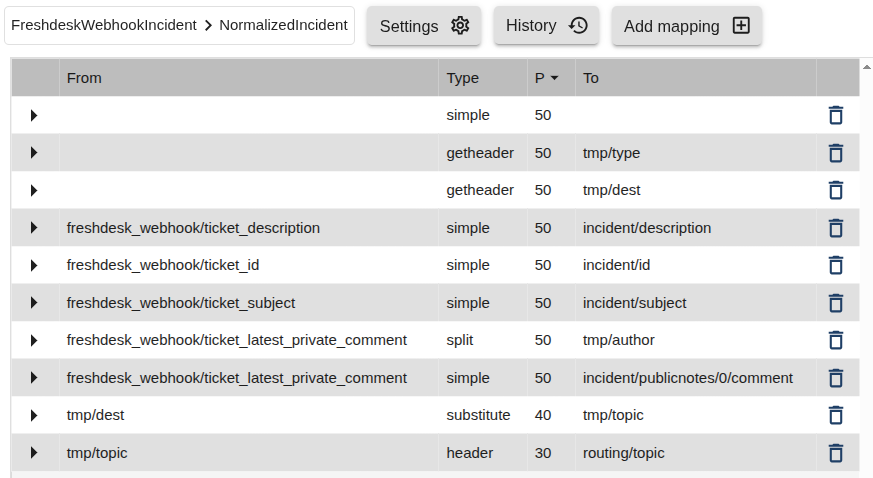
Each mapper contains one or more mappings — rules that define how individual data fields are transformed.
Mappings control what happens to each field when a message is converted from the input (From) type to the output (To) message type.
Each mapping appears in the Mappings List, where you can edit, duplicate, or delete it as needed.
Adding Mappings
To add a new mapping:
- Click the Add Mapping icon.

- Fill in the required fields and choose the appropriate function type.
Common Mapping Fields
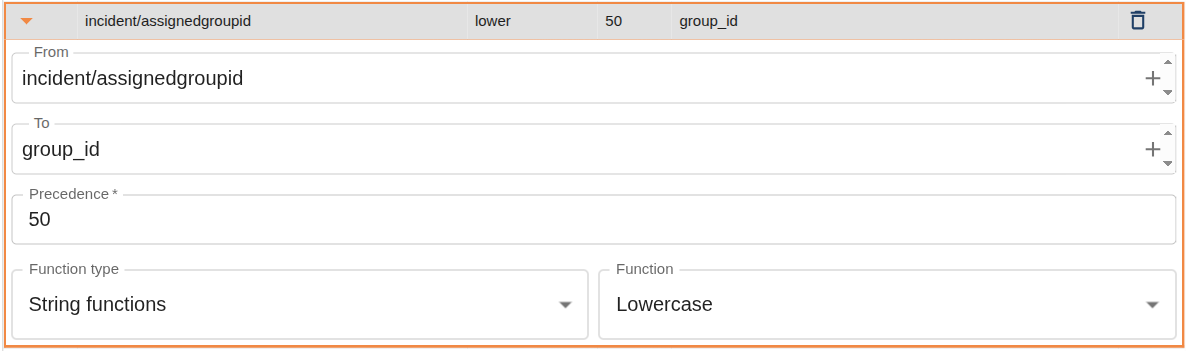
All mappings in 1Gateway share a base set of attributes that define how and when they are applied.
| Attribute | Required | Description |
|---|---|---|
| from | Y | The message field name from which data is mapped. |
| to | Y | The message field name to which data is mapped. |
| precedence | N | Determines the order in which mappings run. Lower numbers execute first. Default: 50. If multiple mappings target the same field, the one with the lowest precedence value takes effect. |
| Function type | Y | The category of function used for transformation (e.g., String functions, Numeric functions). |
| function | Y | The specific transformation method applied (e.g., Lowercase, Replacement, Calculation). |
In addition to these, certain mapping types include additional fields depending on the selected function.
For details on each function and its parameters, see the corresponding mapping type documentation.
Precedence Example
In the example below, two mappings target the same To field but have different precedence values:
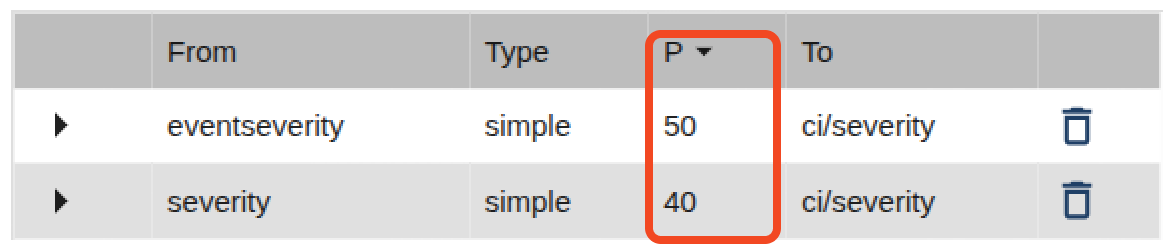
Because 40 is lower than 50, the second mapping (severity → ci/severity) takes priority.
Precedence values don’t need to be unique.
If two mappings share the same precedence, their execution order is non-deterministic (random).