Messages Introduction
What are messages?
1Gateway communication is message-based. A 1Gateway message is a nested key-value structure that is tagged with a message type that defines the format and context of the data it carries.
A message represents a single unit of data flowing through 1Gateway, from an external source system endpoint, through one or more 1Gateway processing steps (plugins, mappers, routing), to its external destination system endpoint.
Message flow
Messages ingested by the source plugin are “normalized” or transformed into a standard format representing data types such as i.e. an event, a metric or an incident before they are put on the 1Gateway message queue.
The 1Gateway routing engine then determines where each message should go and forwards them to the relevant destination endpoint plugin.
There they are transformed from the normalized message format into a format understood by the receiving destination plugin and sent through that endpoint product’s standard APIs. This normalization process ensures that plugins are reusable and compatible with all other and future plugins
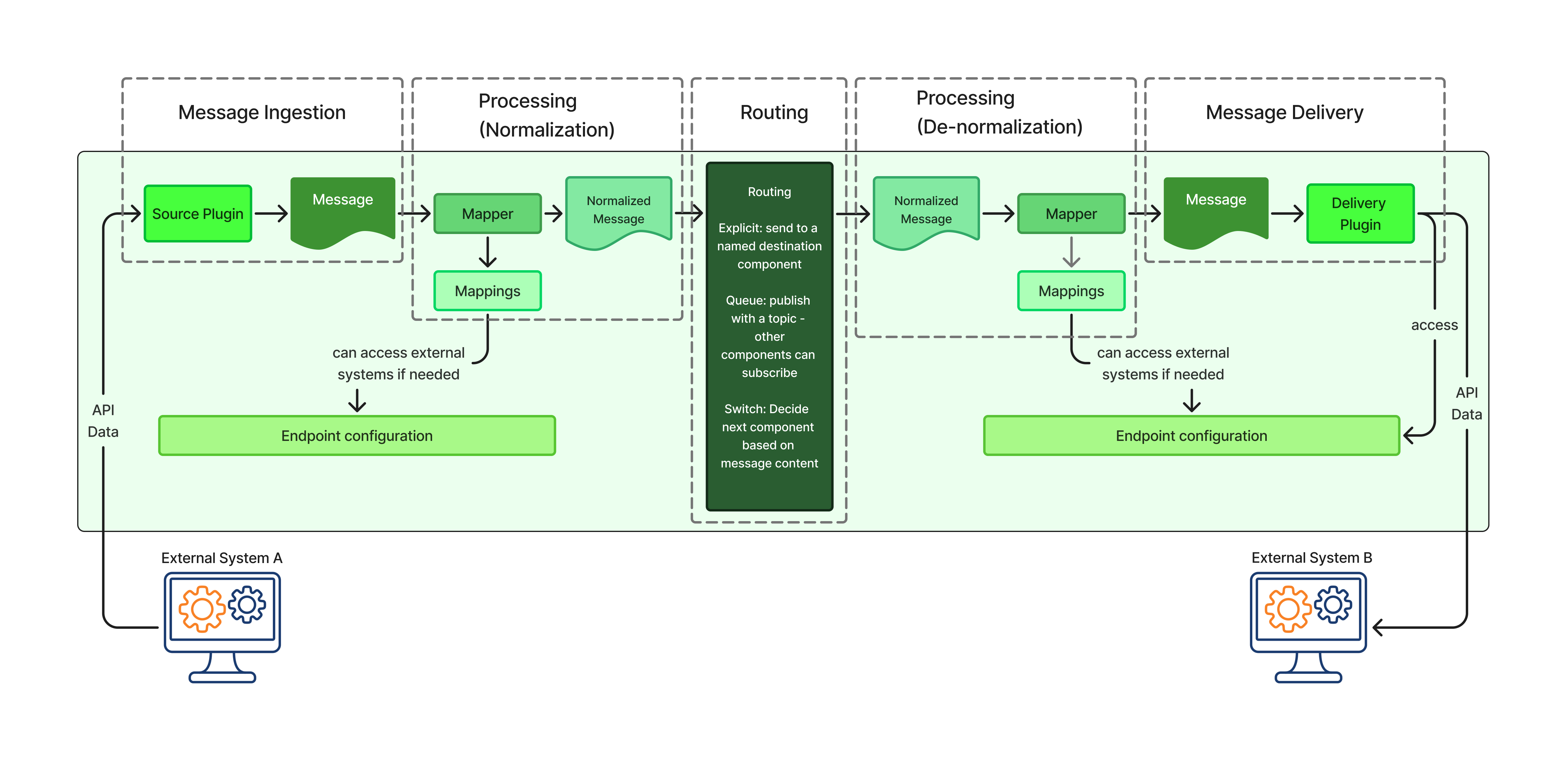
As a message moves through 1Gateway:
- Each plugin or mapper processes the message according to its configuration.
- Any transformation (mapping, enrichment, filtering, ID mapping) results in a new message.
- Message stages are stacked, allowing users to see how the data evolved at each step of the workflow (messages are immutable). This makes the message processing lossless and ensures that no information is overwritten or discarded.
Message Structure
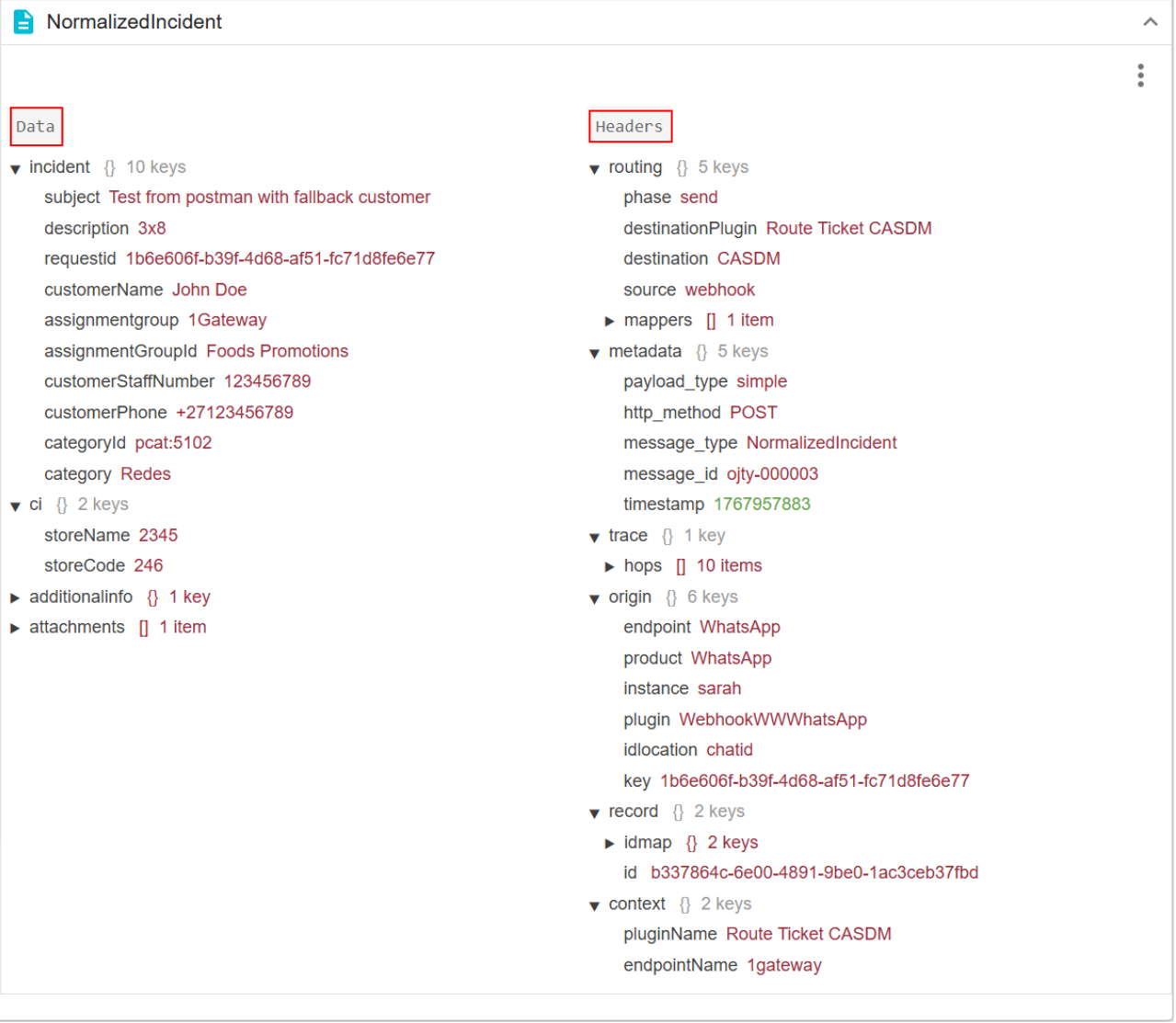
Messages capture the entire lifecycle of data inside 1Gateway. Messages consist of:
- Data: the actual payload being exchanged (in a JSON format).
- Headers: metadata such as message ID, endpoint information, record identifiers, routing details, and processing context.
Viewing messages
Messages are composed of nested key–value pairs, making them easy to inspect and transform using mappings.
Messages can be viewed directly from the 1Gateway user interface.
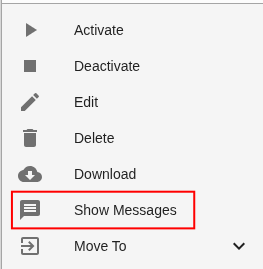
To view messages, click on a specific plugin to open the plugin menu and click Show messages. Messages can be visualized for any plugin.
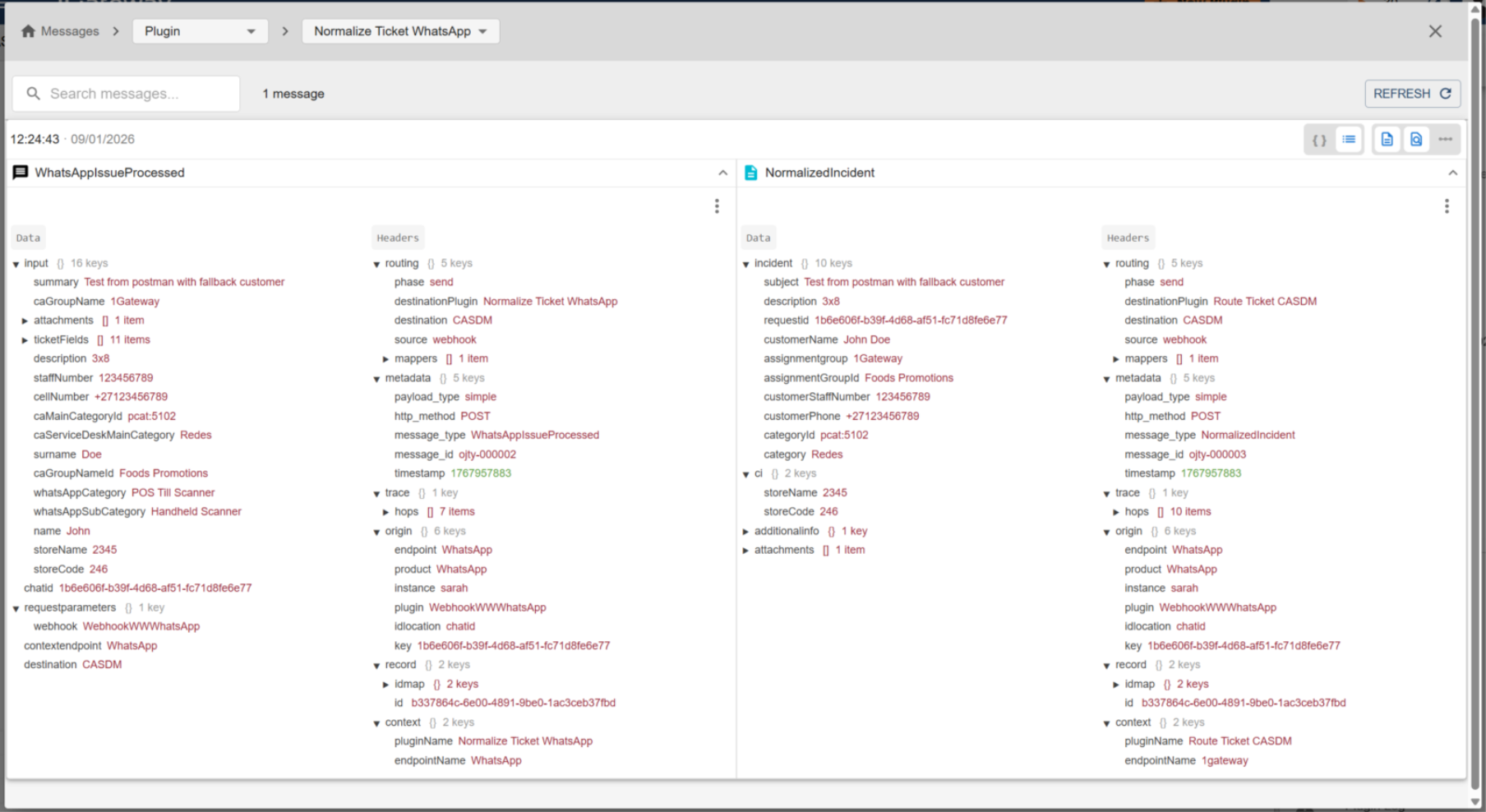
The message view allows you to:
- Inspect the message payload and headers
- Navigate between different stages of the same message
- Follow the message flow through the integration
- Understand how mappings and routing decisions affected the data
Show Messages section
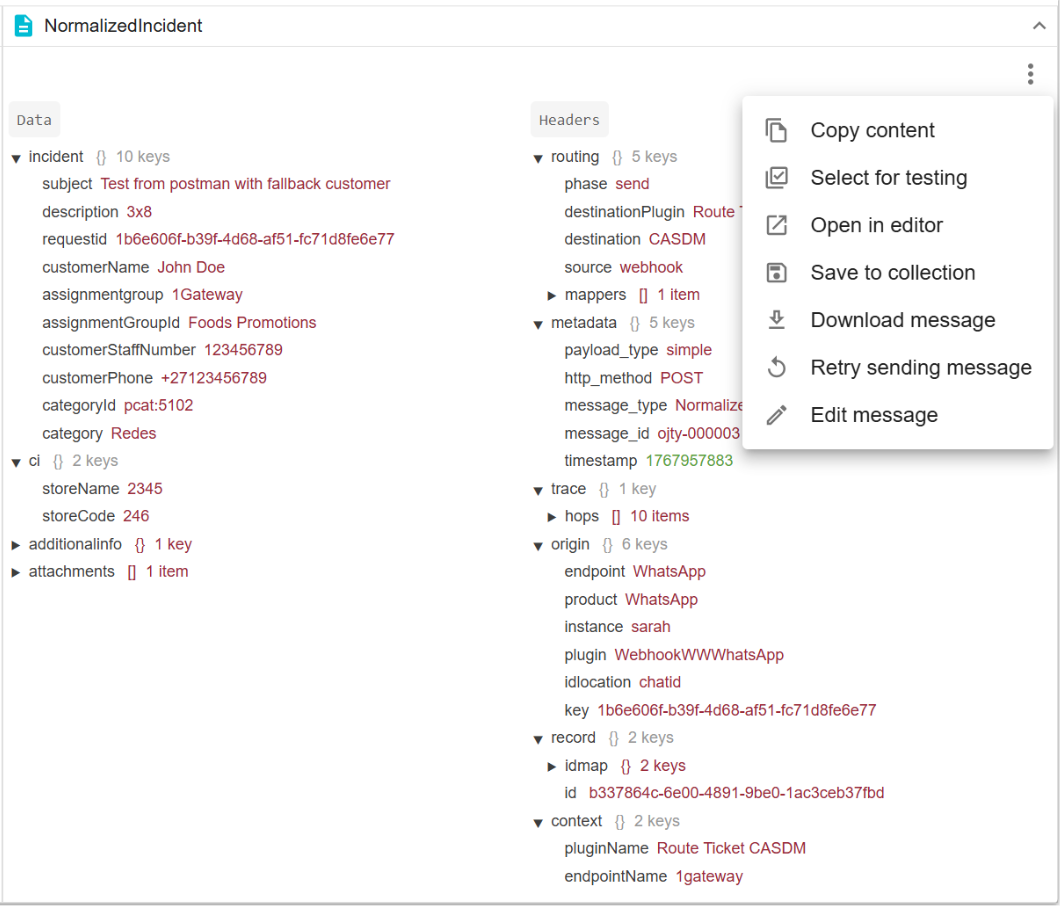
The Show Messages section allows you to inspect, visualize, test, edit, and reprocess messages as they move through 1Gateway. These capabilities are primarily used for debugging, validation, and testing integration workflows.
Filtering messages
At the top of the Show Messages View, you can control which messages are displayed using the dropdown at the top. This allows you to switch between different message views by context.
Available filter options
You can filter messages by selecting one of the following options:
-
Plugin: displays messages that have passed through a specific plugin. This option allows you to view all messages handled by a plugin, and view the message flow.
-
Message Type: displays all messages of a specific message type. This helps when validating transformations for a particular schema.
-
Saved Messages: displays messages that were explicitly saved. Saved messages remain available even after normal message retention periods.
Message view options
Viewing different representations of messages is available at the top-right of the Show messages dialog:
- Flow diagram: Displays the message flow graphically, showing how the message moves through plugins, mappers, queues and processing stages. Each step in the flow represents a component that the message has passed through.
- Tree view: Displays the full message payload in a tree format, making it easy to inspect nested structures and field values.
- JSON view: Displays the full message payload in JSON format, viewing the message in its original representation.
- Headers view (metadata): Shows message headers and metadata, including identifiers, endpoint information, routing context, and processing details used internally by 1Gateway.
Message actions
The following operations are available for individual messages:
- Copy content (JSON): Copy the full message payload in JSON format for inspection, documentation, or troubleshooting.
- Select for testing: Select a message and use it as test input for a mapper. The message is loaded into the mapper so you can immediately see how the mapper transforms it.
- Open in editor: Similar to Select message for testing, but automatically opens the mapper editor. This allows you to review or modify mappings while directly viewing the transformation result for the selected message.
- Save to collection: Save the message to a message collection. Messages in a collection can be reused for testing, shared across environments, or exported and imported into other 1Gateway instances.
- Download message: Download the message in its raw format. Downloaded messages can be viewed outside of 1Gateway or imported into other systems or environments for testing purposes.
- Retry sending message: Republish the message so it is processed again by 1Gateway. The message will be picked up by any plugin that is listening for it, based on queue subscriptions and topic definitions configured in those plugins.
- Edit message: Modify the message content directly for testing. This is useful in pre-production environments when a message with the desired structure or values does not already exist.