REST Mapping
The REST Mapping is a mapping to communicate with external REST APIs. It can make requests using different HTTP methods: GET, PUT, POST, PATCH and DELETE.
REST mappings are commonly used to:
- Create or update tickets in external ServiceDesk systems
- Retrieve data from CMDB or monitoring platforms
- Synchronize assets or metrics
- Enrich messages with external API data
- Trigger actions in third-party platforms
How REST Mapping Fits Into 1Gateway
In 1Gateway, integrations are built as workflows using plugins and mappers.
REST mappings are typically used in the following phases of the workflow:
- Trigger phase to get data from an external system.
- Transform phase to enrich the message with data from an external API
- Communicate phase to update an external system.
A REST Mapping configured in a Mapper, will typically run inside a Message Mapper Plugin.
The Message Mapper plugin is responsible for transforming messages and communicating with external systems. Inside the mapper, REST mappings can be used to perform HTTP requests.
REST Mapping and Endpoint Plugin
REST Mappings work together with Endpoint Plugins. The Endpoint Plugin defines reusable configuration such as:
- Base URLs
- Authentication
- Custom properties
- Environment-specific settings
The REST Mapping then uses those values when performing HTTP requests.
REST Mapping Configuration
A REST Mapping defines how the HTTP request should be executed. It is executed in two steps:
- Build the request inside the message
- Execute the HTTP request and store the response
Step 1 – Build the Request
The request is constructed inside a dedicated branch of the message, usually under request.
Example:
request
   ├── url
   ├── body
   └── headers
        └── Content-Type
This allows the mapper to dynamically construct the REST request before execution.
Step 2 – Execute the Request
The REST Mapping executes the request branch and stores the result in another branch of the message.
RestMapping configuration fields:
| Field | Description | Example |
|---|---|---|
| From | Defines the field to which the mapping will be applied | createticket/request |
| To | Defines the field to which the mapping will be applied | createticket/response |
| Precedence | Determines the order in which this mapping is applied relative to others. | |
| Function type | Defines the function type. Needs to be "REST Mapping". | REST Mapping |
| Function | Defines the HTTP method | POST, PUT, DELETE, PATCH, GET |
| Condition | (Optional) Message field to apply a condition on. If the condition is met, the mapping is applied. | newticket |
| Regex | (Optional) Regular expression to appl to the message field defined in the condition field. | true |
| audit | Enables auditing of HTTP calls | true/false/nothing |
Example:
| From | To |
|---|---|
request | response |
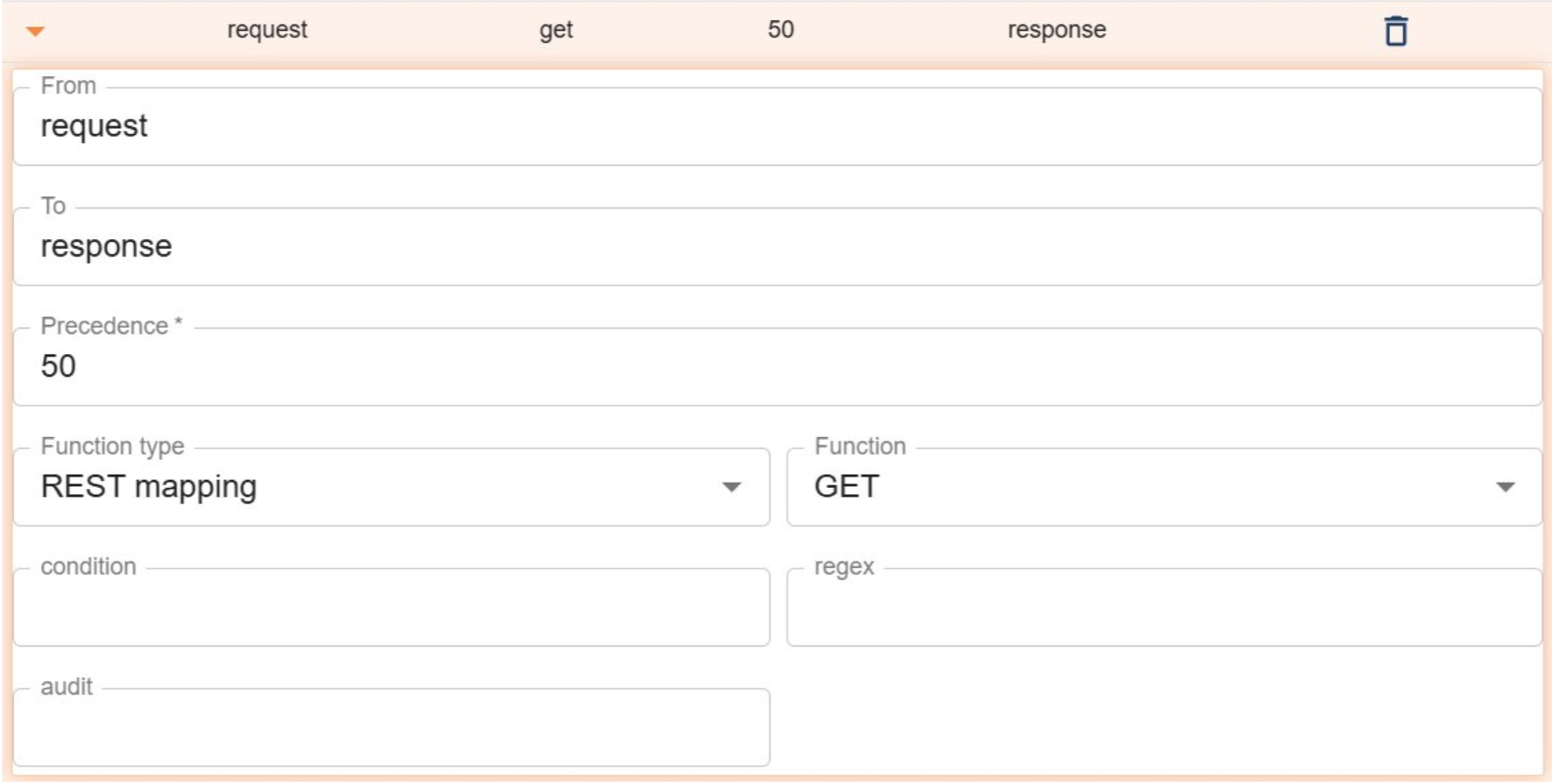
The response from the external API is then available in the response branch of the message.
To execute the request in the context of the mapper, click on the Full test button in the mapper.
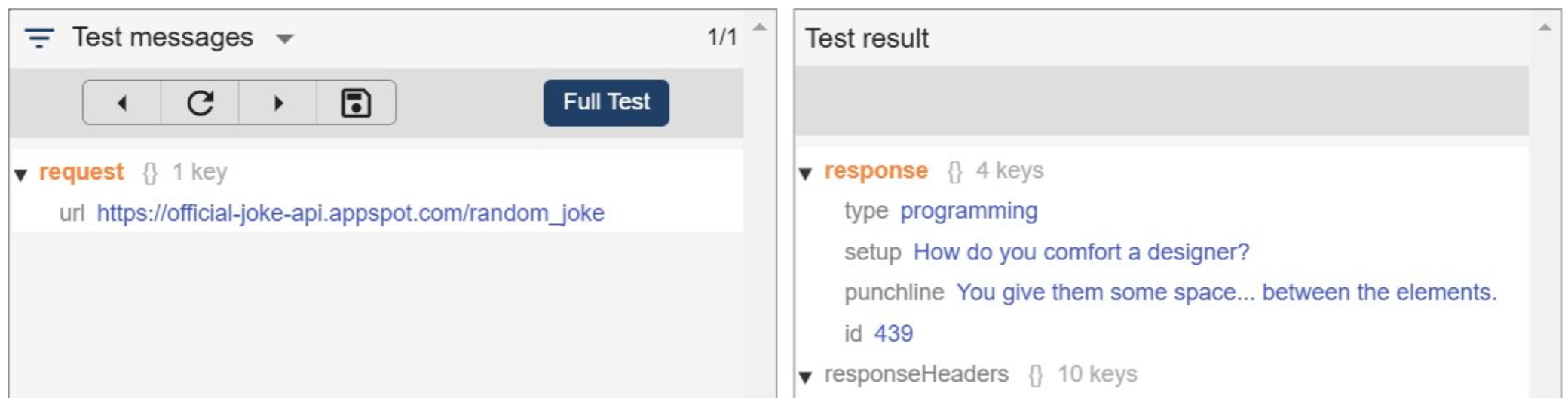
Including:
- Response body
- Response headers
- HTTP status information
Authentication
REST Mappings typically inherit authentication from the configured Endpoint Plugin. Supported authentication depends on the endpoint configuration.
Keeping authentication in the Endpoint Plugin allows connection details to be managed separately from mapping logic.
Using Substitution values
Endpoint or message fields can be referenced dynamically inside REST Mappings.
Referencing endpoint configuration makes integrations easier to maintain and allows environments such as QA and PROD to use different configurations without modifying mappings.
Examples
{{endpoint:url}}
{{msg:incident/id}}
{{msg:alarm/severity}}
{{msg:device/hostname}}
Error Handling and Troubleshooting
If a REST call fails:
- The plugin reports the error
- Errors are visible in the Audit view and in the message under the ERROR branch
- 1Gateway logs can be inspected for troubleshooting
- Messages can be retried through Show Messages view
This allows failed integrations to be diagnosed and replayed without losing message context.
Best Practices
- Store connection details in Endpoint Plugins
- Avoid hardcoded URLs and credentials
- Separate transformation logic from communication logic
- Normalize messages before external communication
- Use queues for asynchronous integrations
- Use feedback flows for transactional integrations
Example – Creating a Ticket Through a REST API
The following example demonstrates a common REST Mapping workflow used to create a ticket in an external ServiceDesk system.
The process consists of:
- Building the request body
- Building the request structure
- Executing the REST call
- Processing the response
Step 1 – Build the Request Body
First, set the request body inside the message.
Example message structure:
<top>
 └── request
      └── body
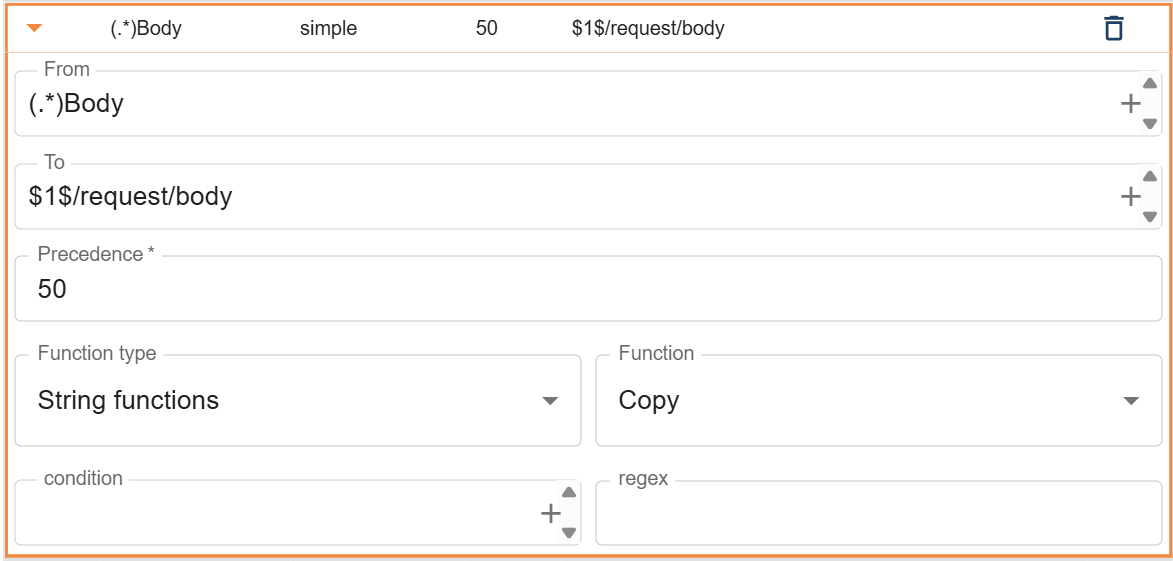
Step 2 – Build the Request Structure
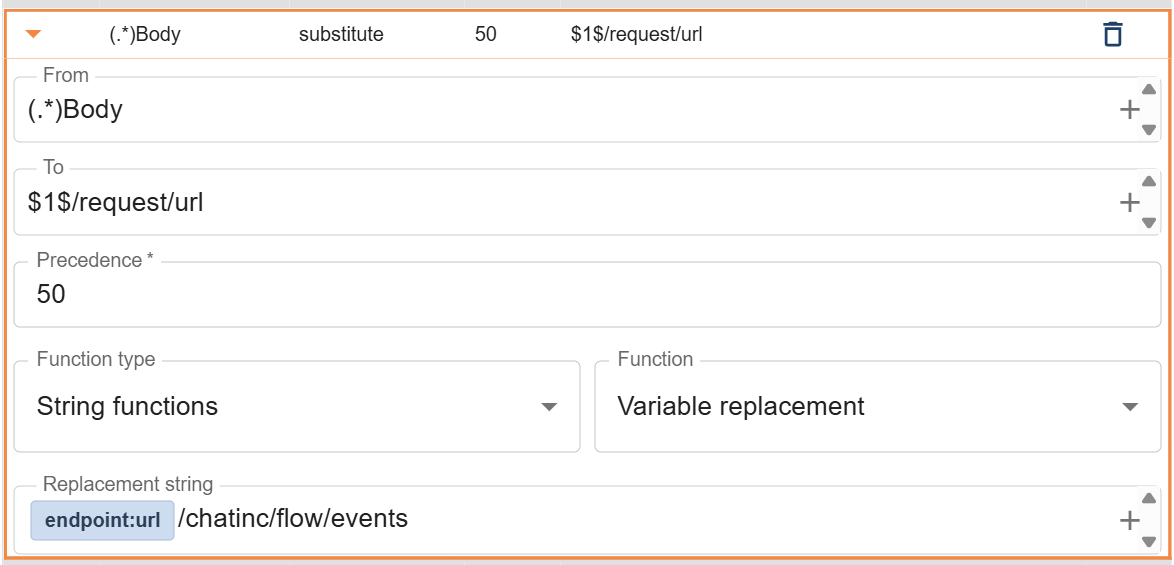
Create the request structure inside the message, including url and headers.
Example message structure:
<top>
 └── request
      ├── url
      ├── body
      └── headers
           └── Content-Type
Build headers:
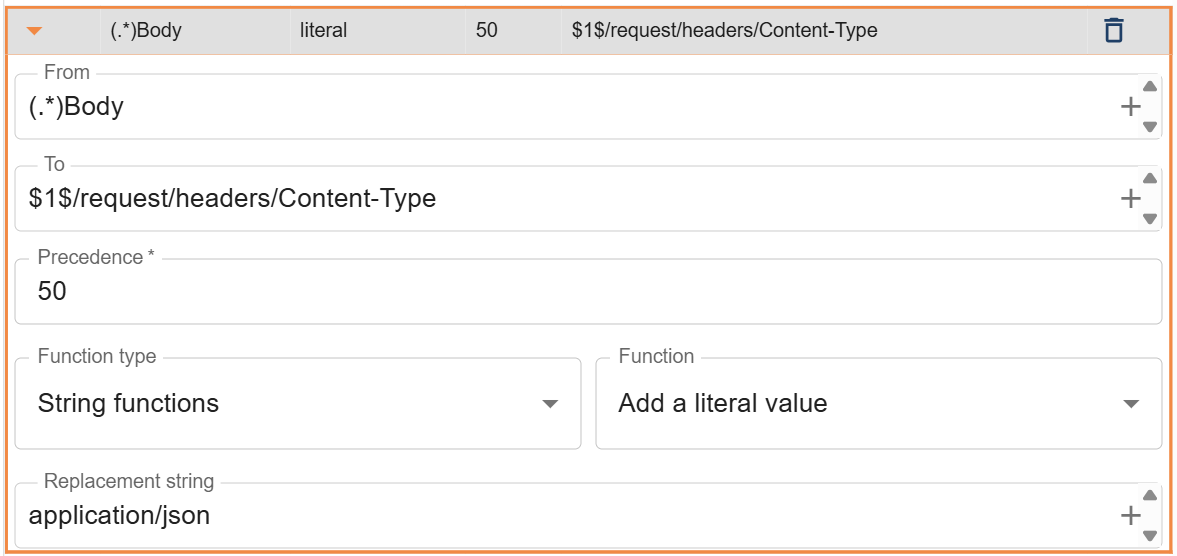
Build url:
Step 3 – Execute the REST Mapping
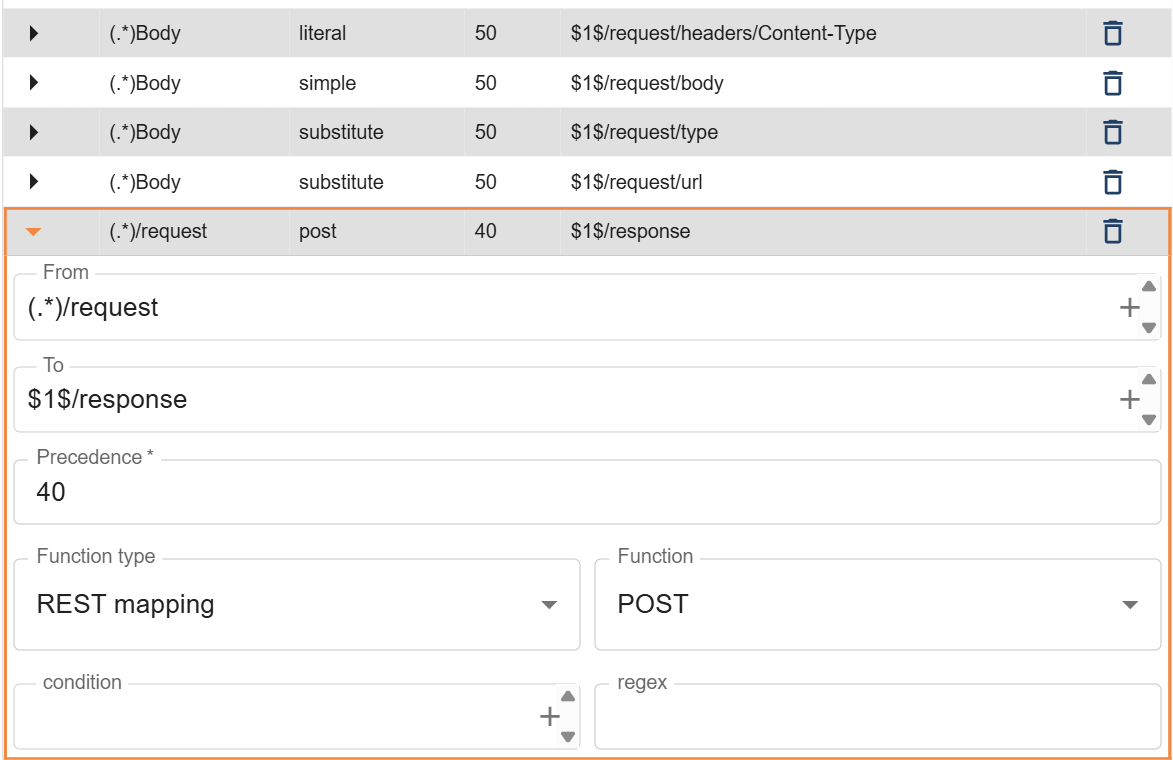
The REST Mapping executes the request and stores the response.
| Field | Value |
|---|---|
| From | <top>/request |
| To | <top>/response |
| Function Type | REST Mapping |
| Function | POST |
<top>/request
        ↓
     REST Mapping
        ↓
<top>/response