External Monitoring (Publish)
External monitoring allows 1Gateway to publish monitoring metrics to an external system (for example, a monitoring or collaboration platform) using the system_monitor plugin.
To enable this functionality, the system_monitor plugin must be configured as described below.
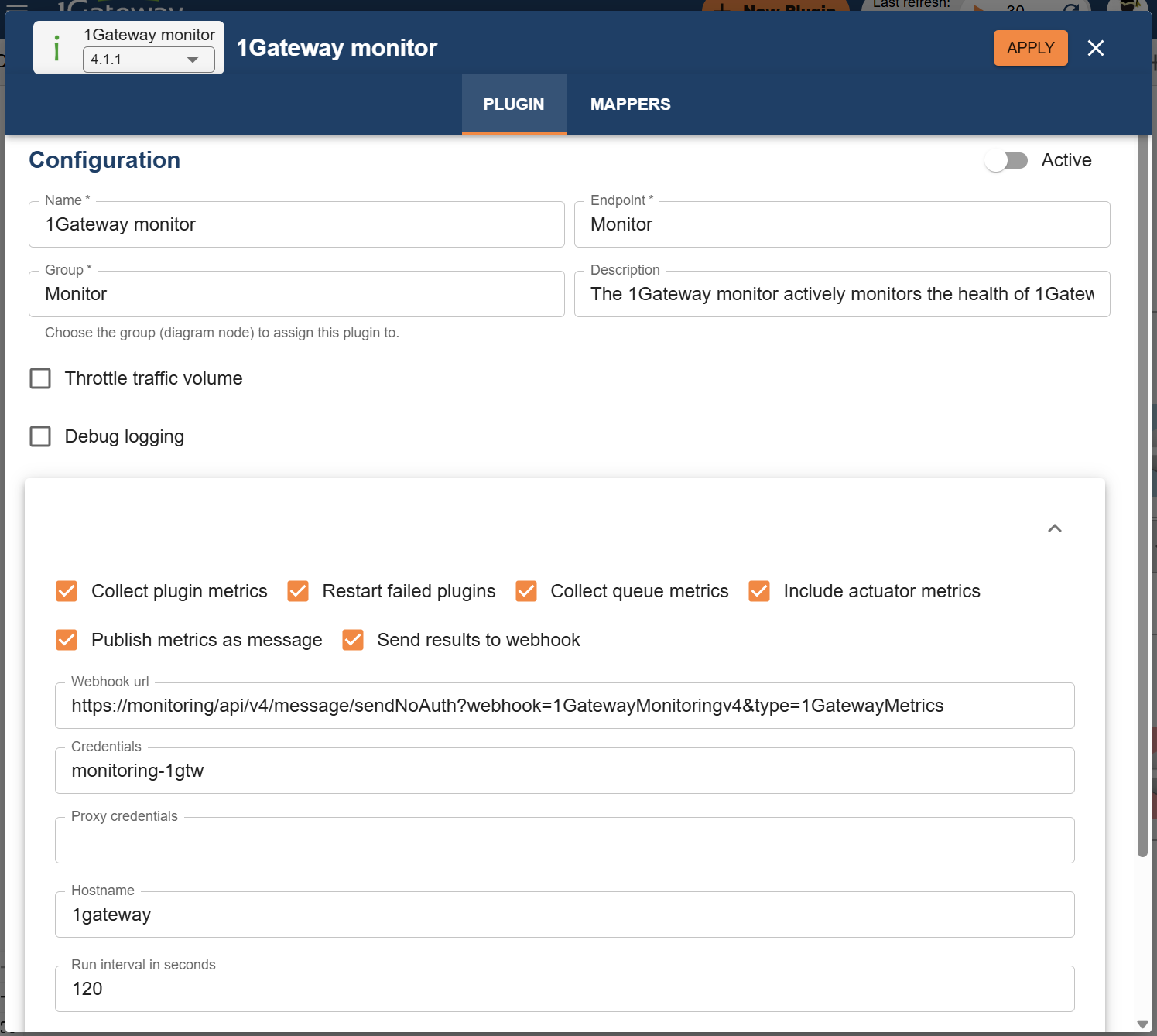
1Gateway Monitor plugin configuration
| Parameter | Description |
|---|---|
| Collect plugin metrics | Collects all metrics from all plugins. |
| Collect queue metrics | Collects all queue metrics (included in the plugin metrics). |
| Include actuator metrics | Collects all Java system–relevant metrics. |
| Restart failed plugins | Automatically restarts failed plugins. |
| Publish metrics as message | When enabled, metrics are published to the 1Gateway message bus for further processing by another destination plugin (for example, Microsoft Teams). Data must be mapped in the receiving plugin to comply with endpoint requirements. |
| Webhook URL | URL where the collected data is sent. Data must be formatted in the receiving endpoint (for example, a monitoring system) to comply with its requirements. |
| Credentials | Credentials for the webhook where the collected data is sent. Configured in the Credential store. |
| Proxy credentials | Credentials for the proxy of the machine. Configured in the Credential store. |
| Hostname | Overrides the default hostname used to tag the metrics being sent.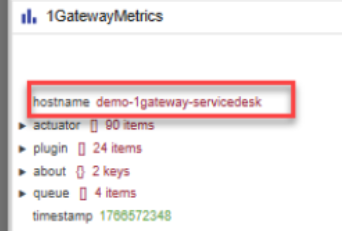 |
| Run interval (seconds) | Interval, in seconds, at which this configuration is executed. |
Webhook URL
When using a central 1Gateway for gathering monitoring data, use the following endpoint in the webhook field with the endpoint of the central 1Gateway:
https://<endpoint>/api/v4/message/sendNoAuth?webhook=1GatewayMonitoringv4&type=1GatewayMetrics