Rest Endpoint
A 1Gateway endpoint holds the necessary data to connect to an external system. Endpoints enable seamless communication between 1Gateway and external services.
Endpoint Plugins
Endpoint plugins can be:
- Predefined (out-of-the-box) for specific systems.
- Generic to connect to any external system.
Configuration Fields
Each endpoint requires specific configuration settings:
- Base URL – The external system's base URL.
- Test Path – The path used to test the connection.
- Expected Response – The expected HTTP status code or message.
- Authentication Type – The authentication method required.
Authentication Fields
Depending on the selected authentication method, additional authentication fields must be filled in.
Endpoint Properties
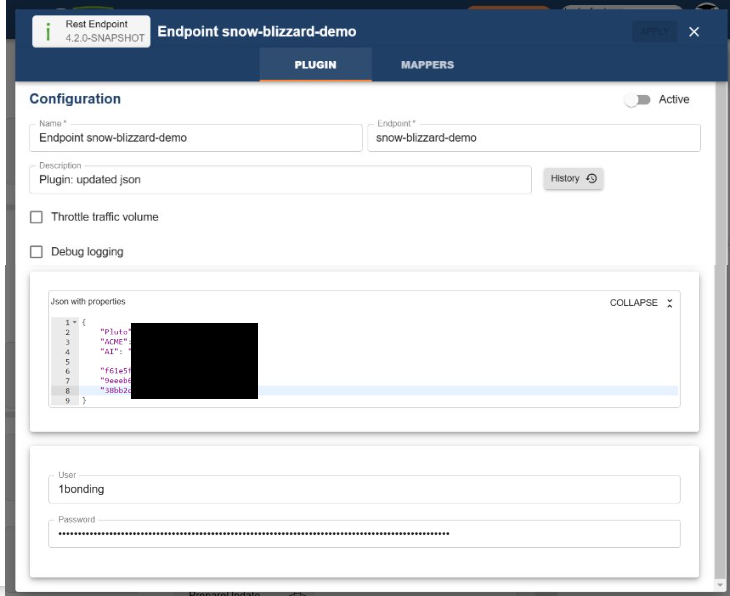
Endpoints support custom properties that can be referenced by any plugin. These properties can store metadata such as partner information or other integration-specific details.
Example: Storing partner information:
Referencing the Endpoint from Other Plugins
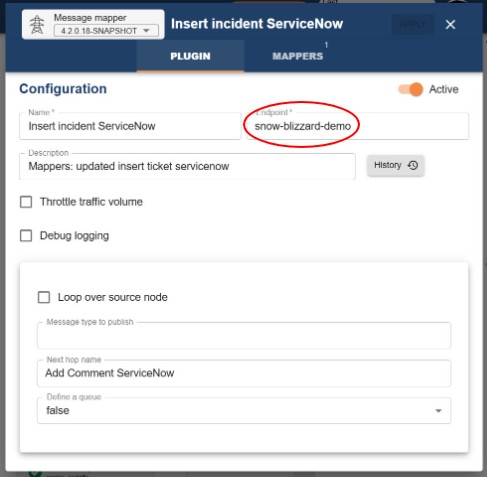
- The endpoint configuration is used by components that share the same endpoint name.
- Plugins referencing an endpoint will automatically use its configuration.
- Any REST calls made from referencing plugins will inherit the authentication settings defined in the endpoint.
Using Endpoint Fields from Plugins
Plugins can dynamically reference fields defined in the endpoint configuration using the format: {{endpoint:field_name}}
Examples
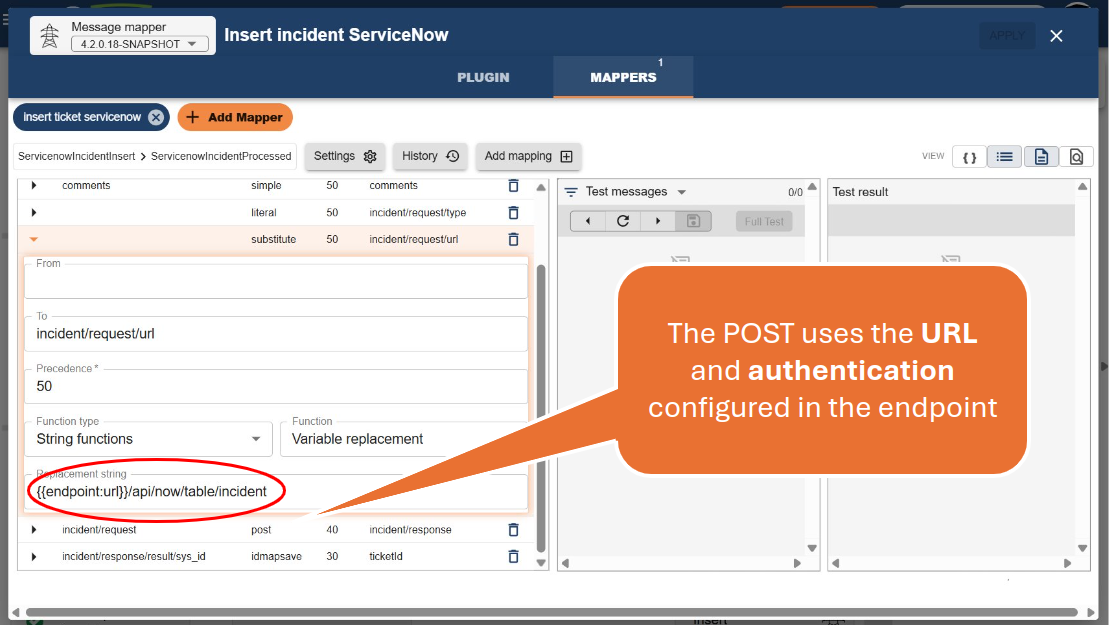
- For example, to insert a ticket into ServiceNow by referencing the endpoint's base URL:
{{endpoint:url}}/api/now/table/incident
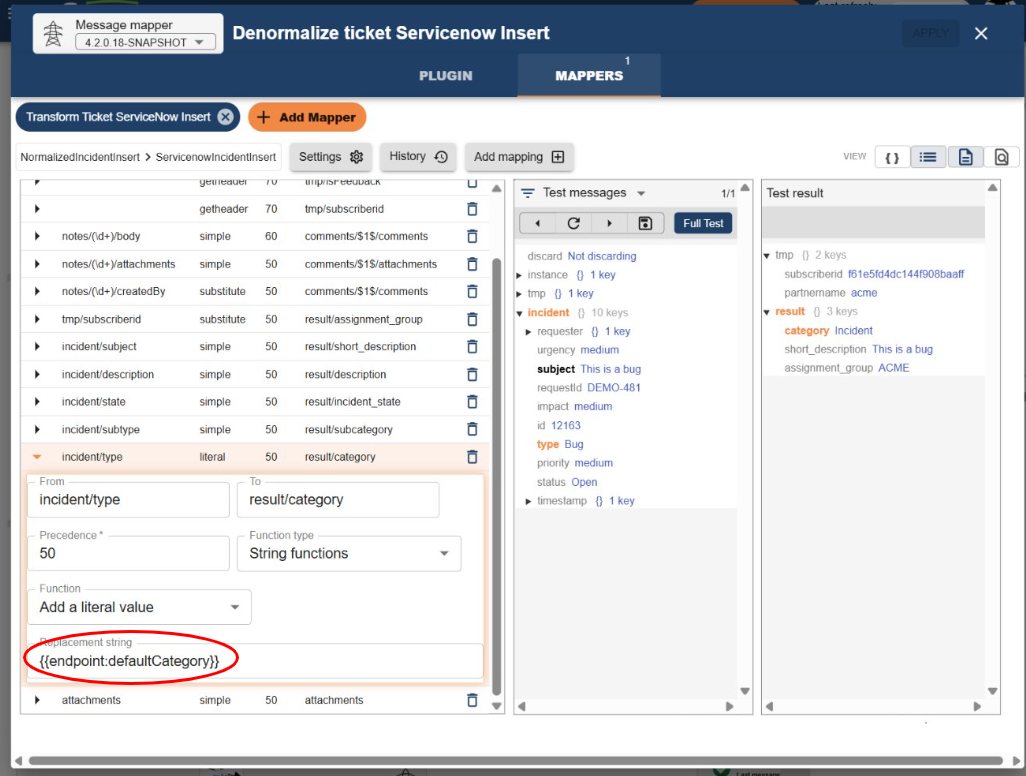
- To reference a custom field, such as a default category for a ServiceNow incident:
{{endpoint:defaultCategory}}
This allows plugins to remain flexible and decoupled, while still using centralized endpoint configuration.